
Download Guide
FunnyStore Download Guide
Learn how to stream videos, download files, and manage your account with our comprehensive guide
-
🔑 Log In First
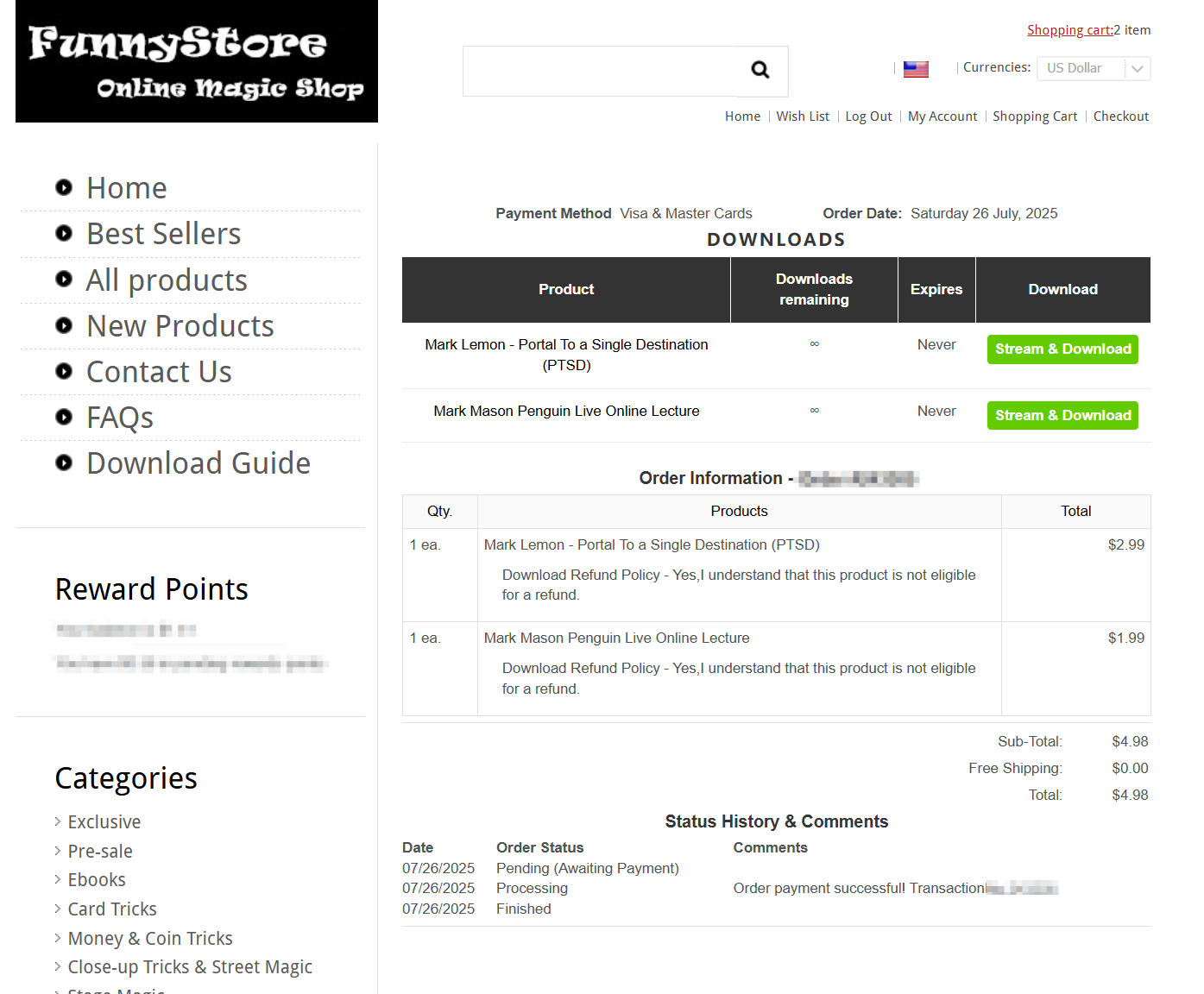
Log into your FunnyStore account, then go to Order History Page or Download List Page
-
▶️ Click to Play
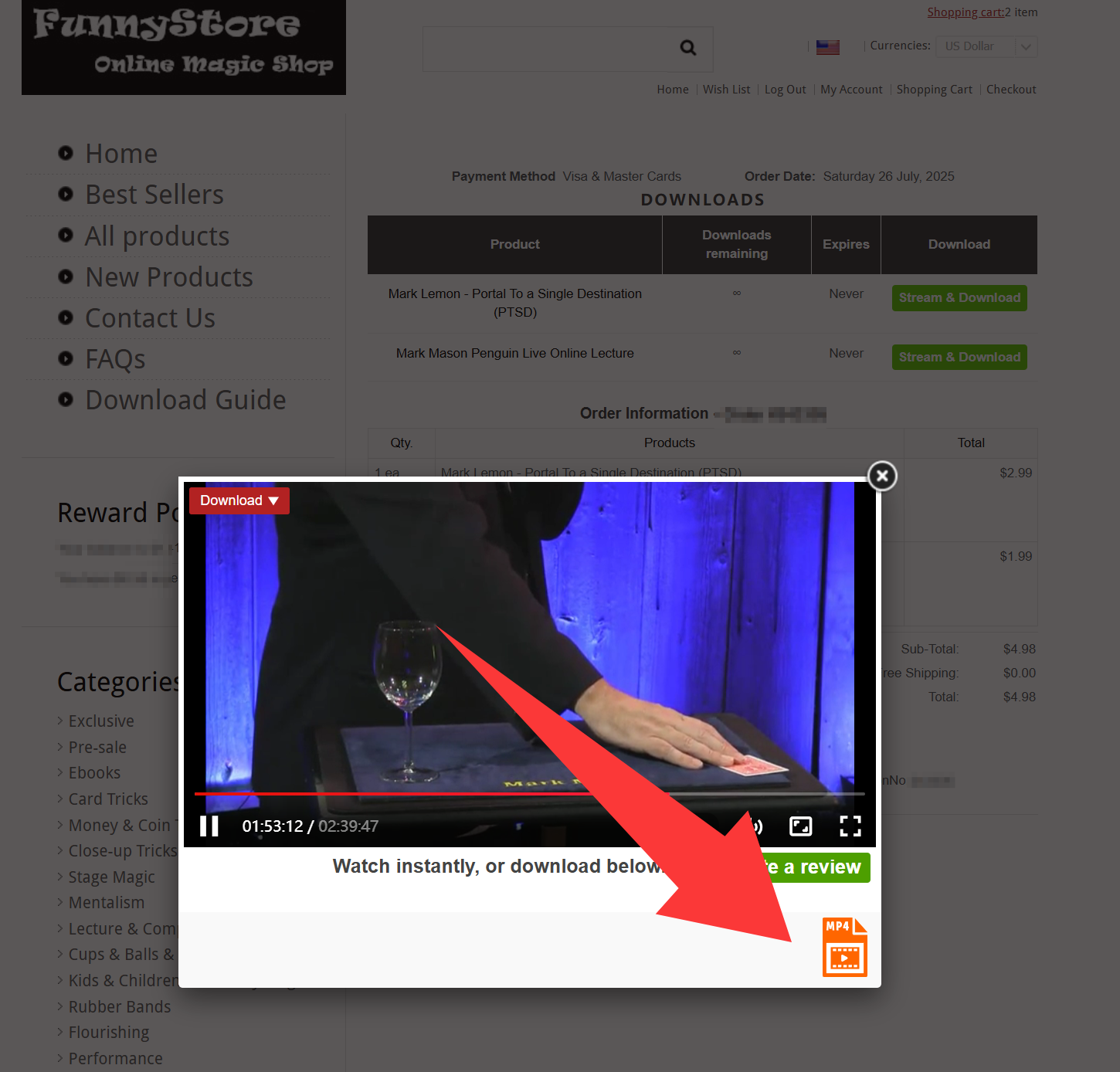
Click the Stream & Download button to open a pop-up window for video streaming. The download list for files will appear below the player.
-
🔄 Switch Videos
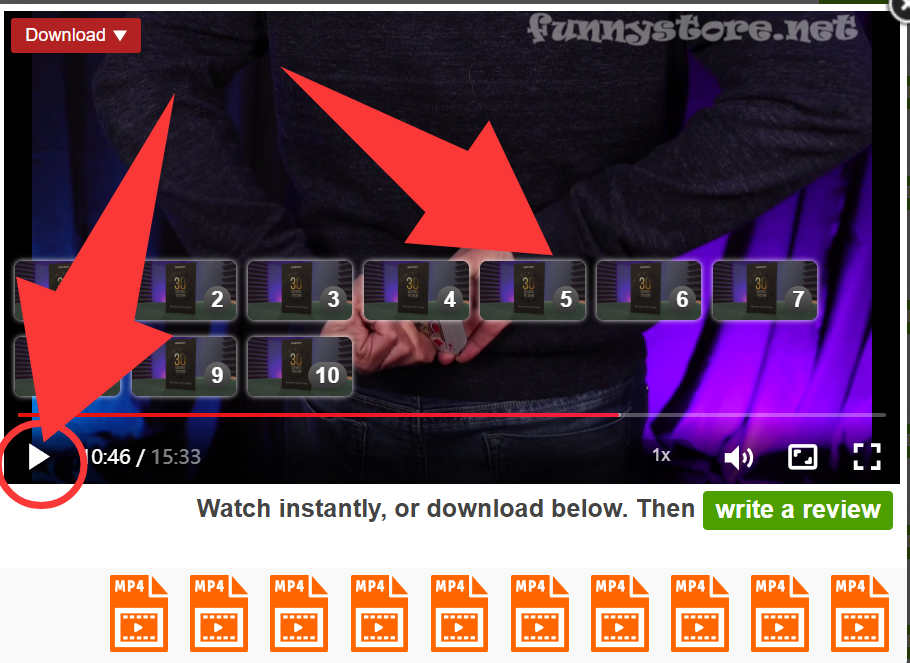
For multiple playable videos, pause the current one and click another video from the list below to switch playback.
-
📼 Video Format Support
Most MP4 files support online streaming. Other formats (e.g., RMVB, M4V, AVI) may not be streamable. Please download them from the list below and play locally using a media player (PotPlayer recommended).
-
📄🔊📦 Non-Video Files
Non-video files (PDF, MP3, RAR, etc.) cannot be opened online. Please download them from the list and open them on your local device.
-
⚠️ Playback Errors
If you encounter an error while streaming, please download the file and play it locally.
-
❗ Download Issues
If streaming works but downloading fails, please contact our support team.
-
🔒 Account & Download Security
The new download system requires logging into your FunnyStore account. ⚠️ Do NOT share your account! Accounts exhibiting abnormal download frequency or data usage may be flagged as "High-Risk" and deactivated.
-
🔍 Access Purchased Files
You can find all your purchased files on the following pages:
-
🚀 Speed Information
Streaming and download speeds depend on your internet bandwidth.
-
🎉 No Usage Restrictions
There are no time or data usage limits for any play or download functions.
-
⚠️ File Mismatch
If the file doesn't match what you purchased, please reach out to us!